
How to Play Mechs vs Kaiju's Ragdoll With Friends (Same Server Guide)
Every match runs on its own 24-player server. See how to get into the same Mechs vs Kaiju's Ragdoll server as friends, plus the private match option.
Quick answer
You and your friends are in the same match when you are in the same server: every Mechs vs Kaiju's Ragdoll match gets its own server, and each server holds up to 24 players. Join the same public server — the most direct way is a live server list like RBLXDB, where you tap Join on one exact server — or follow a getting-started guide's recommendation to create a private match server together for a quieter city (availability not confirmed in this experience).
- Every match gets its own server, and the game's own description invites you to “Squad up with friends” on them.
- Servers cap at 24 players, and public servers sampled by RBLXDB were 72% full at one snapshot, so everyone hitting Play separately can land in different servers.
- Most direct public route: RBLXDB's live server list — tap Join on the same server entry (you must be signed in to Roblox in that browser).
- Chaos-free option: a private match server with friends — a getting-started guide's recommendation for a quieter practice city, for teaching the throw-into-building loop (availability not confirmed in this experience).
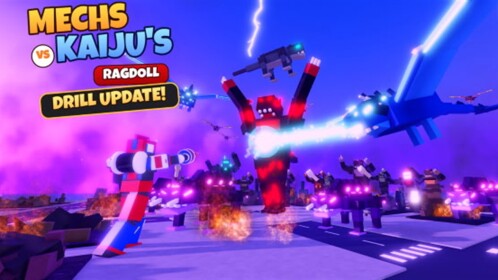
Why “the same match” means “the same server”
Every match of Mechs vs Kaiju's Ragdoll runs on its own server — the official description states it plainly and invites you to "Squad up with friends" on those servers. So getting into the same match as your friends is really one task: ending up in the same server. That framing also explains the failure mode. A friend who presses Play a minute before or after you can be dealt onto a different server, and you will never cross paths in the city even though you are both playing the game.
Servers hold up to 24 players: the Roblox API lists maxPlayers: 24 for the game, and third-party trackers list the same 24-player server size, as of the November 2026 snapshots. That cap matters twice for a squad. A server that is already nearly full cannot absorb your whole group at once, and whatever free slots remain can disappear while you are still coordinating.
Getting into the same public server
If everyone just hits Play on their own, the odds are against you. RBLXDB's one-time sample of 10 public servers found them 72% full — 173 players across 240 slots — and that source notes servers this full fill matches fast but leave less room to land in the same one as a friend. Treat that 72% as one snapshot at one point in time rather than a constant fill rate, but the practical point stands: random joining scatters a group across servers.
The fix is to stop joining randomly. RBLXDB also lists the game's live public servers, straight from Roblox, and its Join button drops you into that exact server. Each entry shows the server's current player count and ping (for example, "17/24 players"), so you can pick one with enough free slots for the whole group. To land together:
- Open RBLXDB's page for Mechs vs Kaiju's Ragdoll in a browser where you are signed in to Roblox — the Join tool requires it.
- Agree with your friends on one server from the live list, checking that its player count leaves room for everyone.
- Everyone taps Join on that same entry and drops into the same match.
One caveat: the Join button is RBLXDB's tool, not part of the game's own UI, so it lives on that site rather than in the Roblox app.
The private match server option
If coordinating public joins sounds fiddly, the getting-started guide recommends the other route: enter a public session together, or create a private match server with friends. It calls private match servers ideal for a quieter practice city — teaching friends the throw-into-building loop of grab, turn toward a building, throw, without random chaos from other players. One caveat before you plan around it: the Roblox API currently lists private server creation as not allowed and availability is unresolved, so treat this as the guide's recommendation rather than a guaranteed feature — if you don't see a way to create one, enter a public session together instead.
Friends on PC, phone and console
The game works on PC, phone and console, so each friend can play on the device they have. Controls differ slightly by device, but the physics goals stay the same: secure grabs, spend stamina on purpose, use buildings as finishers. Nobody in the squad is playing a different game — the mobile player just has different inputs, which is why it is worth reading the controls once before blaming a "bad mech" for input confusion.
Once you share a server
With the whole squad in one city, the signature activity is the throw-into-building loop itself. Our Mechs vs Kaiju's Ragdoll grab and throw guide breaks that combo down, the controls page details each device's inputs, and the combat tips page rounds out how to fight the kaiju waves together.