
Mechs vs Kaiju's Ragdoll Controls: Every On-Screen Combat Button
Which buttons to press in Mechs vs Kaiju's Ragdoll: the six on-screen combat actions — GRAB, KICK, JUMP, ARM, L PUNCH, R PUNCH — plus stomps, big slams, building throws, counters and finishers.
Quick answer
In combat, Mechs vs Kaiju's Ragdoll puts six labeled action buttons on screen: GRAB, KICK, JUMP, ARM, L PUNCH and R PUNCH. Punch with L PUNCH and R PUNCH, stomp a downed kaiju with KICK, and press GRAB to lift a kaiju overhead — then slam it into the ground or throw it through a building.
- L PUNCH / R PUNCH — alternate the two for punch combos; landed strikes pop damage numbers like 28! and a heavy 64!.
- KICK — walk up to a downed kaiju and stomp it. Stomps can roll gold criticals like the 43! hit from a Wave 1 clear, and “STOMPED OUT!” means the kaiju is finished.
- GRAB — lift a kaiju overhead for a “BIG SLAM!” ground smash, or turn toward a building and throw it straight through the city.
- JUMP and ARM — the remaining two labels on the same panel, which stays on screen throughout combat.
- Movement — the reviewed footage shows these six combat action buttons and no walking control; how movement is bound isn't shown, and controls differ slightly by device (PC, phone and console are supported).
Everything you need to fight lives on one small panel. Combat starts fast — kaiju climb out of the sea wave after wave — and from the first exchange the game keeps that six-button panel on screen until the fight is over. The sections below cover what the punch, kick and grab buttons do, when to press them, and which attacks happen beyond the panel's labels.
You can watch that panel in use here: the clip opens in wave 1 with GRAB, KICK, JUMP, ARM, L PUNCH and R PUNCH all visible while the punches land.
Watch the full video: Mechs vs Kaiju's Ragdoll 丨 Tips丨 Combat Tips.
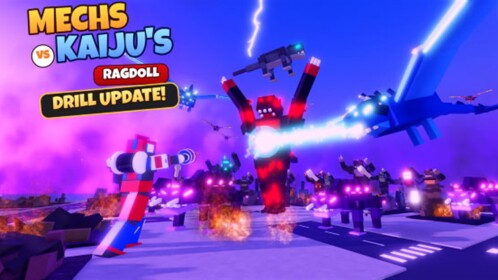
Punching: alternate L PUNCH and R PUNCH
The two punch buttons are your most basic attack, and they are built to be alternated. Stringing L PUNCH and R PUNCH together produces a steady rhythm of strikes, each one landing with its own damage number — in one Wave 2 fight, alternating punches strung together hits of 28!, 26, 21 and a heavy 64!.
Punching is how you chip down a standing kaiju at arm's length, but it is also the classic beginner habit to break: the game's community advice warns against endless punch spam, because the grab-and-throw loop is the recommended core pattern. Broader fight advice lives in the combat tips guide.
KICK: the stomp that finishes downed kaiju
KICK's demonstrated job is finishing. Walk to a downed kaiju, press KICK, and your mech stomps it. Stomps can land as gold critical numbers — one Wave 1 stomp popped a 43! critical — and when the kaiju stays down, the game announces it with “STOMPED OUT!”. That same Wave 1 clear paid +12 scrap, which makes the stomp the moment your damage turns into currency.
The condition matters: the stomp is shown against a kaiju that is already down. The rhythm is knock the kaiju down, close the distance, then KICK until the banner appears.
GRAB: big slams and building throws
GRAB is the signature button. Press it and your mech lifts a kaiju clean overhead. From there, two destinations:
- Straight down. Smash the kaiju into the ground for a slam, and the game tags it with a “BIG SLAM!” bonus pop-up.
- Into a building. Turn toward the nearest tower and throw. Kaiju go through walls, the whole city breaks apart, and buildings double as finishers.
Option two is the recommended core loop, not just spectacle: the game's getting-started checklist says to focus on grab → turn toward a building → throw rather than punch spam. Manage the resource that powers all of it, too: stamina. An empty bar turns ragdoll physics into free damage for the next kaiju, so spend stamina on purpose. The stamina page covers the meter, the ragdoll physics guide explains what happens when bodies stop cooperating, and the grab-and-throw guide breaks down the loop in full.
JUMP, ARM and your mech's named attacks
JUMP and ARM complete the six labels, and they sit on the panel throughout combat next to the four attack buttons above. The attacks that really set mechs apart, though, are the named abilities each kit carries. The official roster lists them per mech:
Data table
- Mech
- Black Alpha
- Named abilities
- Hydraulic fists, piston grab, hydraulic dropkick
- Mech
- Red Tsunami
- Named abilities
- Saw claws, Thundercloud, gut saw
- Mech
- Cipsy Dagger
- Named abilities
- Chain sword finishers, plasma beam, rocket elbows
- Mech
- Coyote Tangle
- Named abilities
- Twin shoulder cannons, EnergyCaster blast, throwdown
- Mech
- Bravo Guardian
- Named abilities
- Whip snare, electric whip
The roster runs deeper than the five shown — Titan, Scorpion, Agility, Ripper, Mace and more. What the official description does not include is a button-by-button mapping: it names what each kit can do, but not which label fires it. Treat the table as a preview of what to look for, the on-screen panel as your live in-fight reference, and the mechs list for per-mech detail.
Moves without a labeled button
Some of the game's flashiest attacks happen through the same mech body without carrying a label of their own on the six-button panel:
- Flying kick — your mech can leap at a kaiju feet-first, and the impact ragdoll-tumbles the monster across the ground. A stylish way to start a fight or close distance.
- Dodge counter — slip a kaiju's swing and the game flashes “SLIPPED IT! – COUNTER NOW”. That prompt is the cue: hit back immediately.
- Limb tear — batter a kaiju badly enough and a limb comes detached. Tear it off to finish the fight, and the game logs “RIPPED APART! Finisher +2 scrap” — bonus scrap on top of the wave payout.
Reading the pop-ups becomes second nature quickly: “BIG SLAM!”, “STOMPED OUT!”, “SLIPPED IT! – COUNTER NOW” and “RIPPED APART!” each confirm exactly which move just connected.
Data table
- On-screen pop-up
- BIG SLAM!
- What it confirms
- Your GRAB slam landed — the kaiju you lifted overhead hit the ground.
- On-screen pop-up
- STOMPED OUT!
- What it confirms
- The downed kaiju you stomped with KICK is finished.
- On-screen pop-up
- SLIPPED IT! – COUNTER NOW
- What it confirms
- Your dodge slipped the kaiju's swing — hit back immediately.
- On-screen pop-up
- RIPPED APART! Finisher +2 scrap
- What it confirms
- You tore off the detached limb — the finisher paid +2 bonus scrap on top of the wave payout.
Reading the HUD: waves, kaiju left and scrap
The premise is a siege — the game's own tagline says it: “Kaiju are coming out of the sea. Stop them!” — and the HUD keeps score while you do it. You get a WAVE counter, a “Kaiju left: N | DIFFICULTY” readout and a running Scrap total. Clear a wave and the game pays scrap for it, with finishers like the limb tear adding extra on top.
Every button above feeds that loop: stomps, slams and building throws push “Kaiju left” toward zero and your Scrap total up. Where the scrap goes afterwards is a progression question — the wave guide and the scrap guide pick up from there.
PC, phone or console: same goals, slightly different layouts
Mechs vs Kaiju's Ragdoll works on PC, phone and console. Controls differ slightly by device; the physics goals do not — secure grabs, spend stamina on purpose and use buildings as finishers no matter what you play on.
One expectation worth setting: this guide covers the six labeled combat actions; how walking is handled isn't shown in the reviewed footage, and layouts shift a little from device to device. And if your grabs keep whiffing on a phone, take the community's advice before swapping kits: don't blame a “bad mech” for what is really mobile input confusion.