
Mechs vs Kaiju's Ragdoll: How to Grab and Throw Kaiju
Press GRAB next to a kaiju to lift it overhead, then slam it down for BIG SLAM! or turn and throw it into a building. Includes stamina rules and practice tips.
Quick answer
Walk up to a kaiju and press GRAB — your mech lifts it overhead. Then either smash the carried kaiju into the ground, which triggers the on-screen BIG SLAM! bonus text, or turn toward a building and throw it straight through it.
- Combat runs on on-screen action buttons: GRAB, KICK, JUMP, ARM, L PUNCH and R PUNCH.
- The recommended new-player finish is the throw through a building — not endless punch spam.
Grabbing and throwing a kaiju is a first-match move in Mechs vs Kaiju's Ragdoll — the Getting Started checklist hands it to brand-new players, and there is nothing to unlock first. The buttons sit on the HUD during kaiju waves, so the real work is getting next to a kaiju and deciding how it comes down.
How to grab a kaiju, step by step
Mechanic flow
- 1
Get next to a kaiju
Move your mech into range during a wave. The combat HUD shows GRAB alongside KICK, JUMP, ARM, L PUNCH and R PUNCH.
- 2
Press GRAB
Pressing GRAB at a kaiju lifts it overhead, and your mech carries it while you line up the finish.
- 3
Slam or throw
Smash the carried kaiju into the ground — the on-screen text BIG SLAM! marks the hit — or turn toward a building and throw it through.
Slam it down or throw it through a building
The slam is the version you can watch happen in the game. In one WAVE 3 clip, the player pressed GRAB, carried the kaiju overhead and smashed it into the ground, and the bonus text "BIG SLAM!" popped over the impact — the clip's own caption at that moment reads "Grab it like this and smash it to the ground."
That slam demonstration starts at the moment quoted above; watching a few seconds either side shows the grab and carry that set it up. Watch the full video: Mechs vs Kaiju's Ragdoll 丨 Tips丨 Combat Tips.
The throw is the finish the Getting Started checklist wants new players to default to: grab, turn toward a building, throw. It is offered as the alternative to endless punch spam, with buildings treated as finishers you steer the kaiju into rather than damage you grind out strike by strike. That matches the game's own description, which advertises punching, grabbing, throwing and smashing kaiju through buildings while the whole city breaks apart.
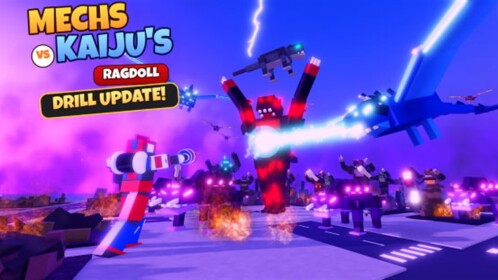
Watch stamina while you grab
The Getting Started guide pairs the grab-and-throw loop with a blunt warning: watch your stamina, because an empty bar turns the ragdoll physics into free damage for the next kaiju. The advice for new players is to spend stamina deliberately — using buildings as finishers rather than grinding every kaiju down — and the guide frames that discipline as part of learning the loop itself: grab, finish, reset. The stamina guide breaks the system down further.
Mechs with grab-friendly kits
Grabbing is not tied to one mech. The official description advertises punching, grabbing, throwing and smashing kaiju through buildings city-wide as core play, and individual kits add their own listed takes on it. Black Alpha is the beginner-friendly melee pick: hydraulic fists, a piston grab and a hydraulic dropkick give it a readable kit for closing distance, securing a grab, finishing and resetting — the exact loop this page describes — and many pilots stay on it until wave checkpoints feel natural. Elsewhere on the roster, Coyote Tangle lists a throwdown and Bravo Guardian a whip snare — throw-shaped abilities on top of the game's grab-and-throw core.
Practice the throw in a private server
If the loop feels clumsy in a busy public city, the recommended fix is a private match server with friends: a quieter practice city for teaching the throw-into-building loop without random chaos. Controls differ slightly by device, but the physics goals do not change — secure grabs, spend stamina on purpose, use buildings as finishers. If the inputs feel wrong on mobile, read the controls page once before blaming the mech.
Once carrying a kaiju around feels routine, the combat tips and kaiju enemies pages cover the rest of the fight.